HTML resume builder · No Word · No Canva

Resume + Cover Letter, ready in 15 minutes.


Open the file in your browser, type your details and watch your resume and matching cover letter update live. Pick a color, save as PDF in one click.

Matching cover letter 21 color themes 8 fonts Instant PDF
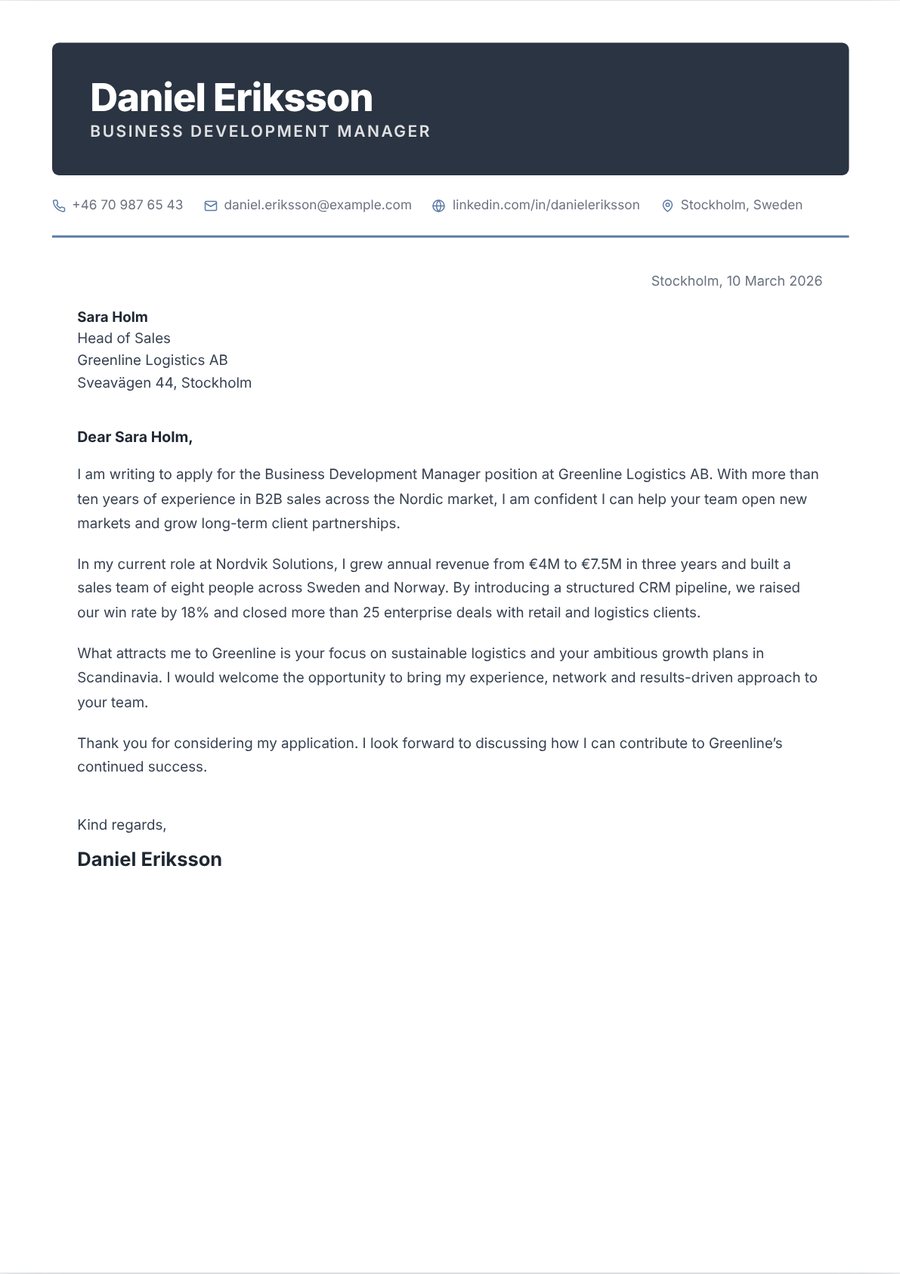
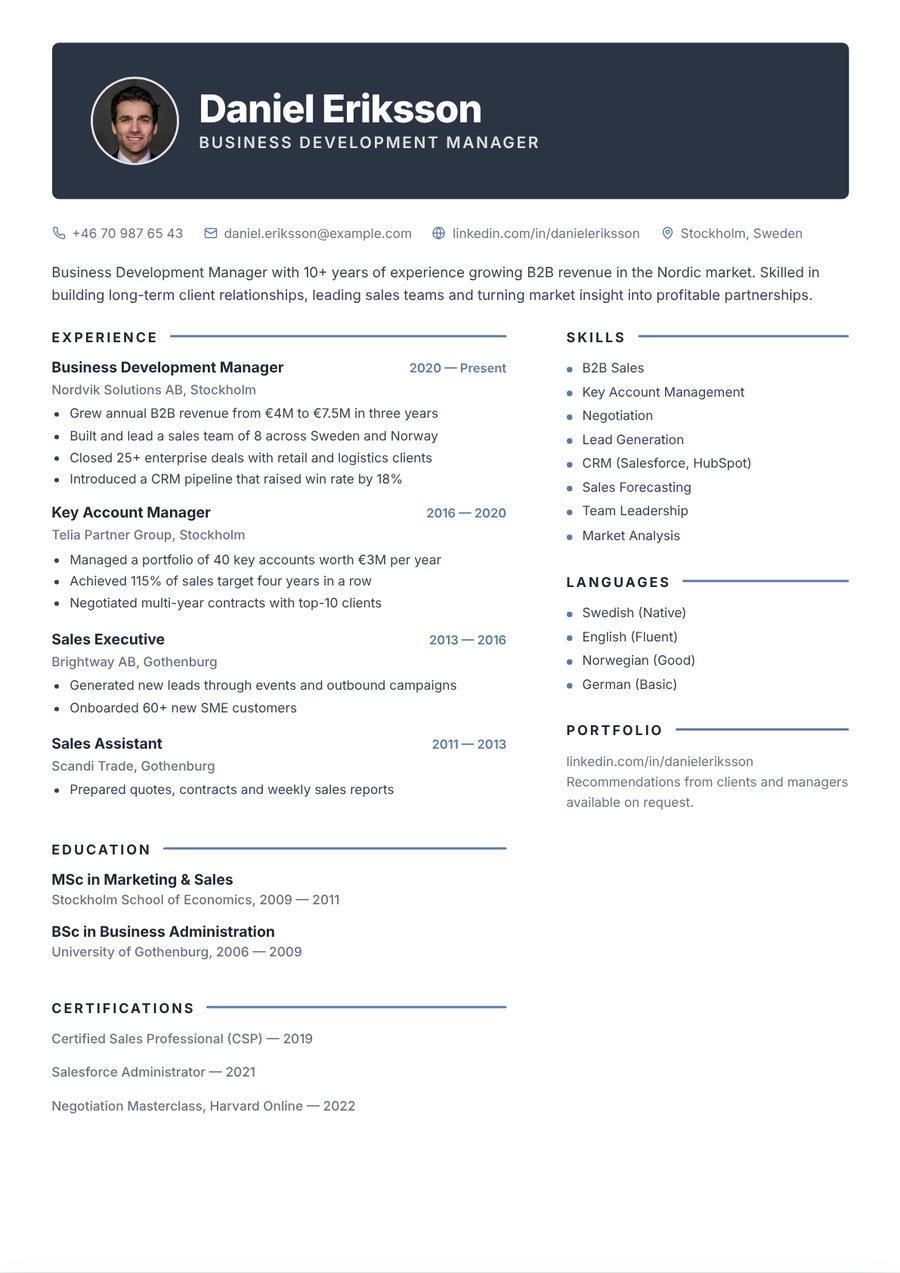
Matching cover letter with a dark header banner, name, job title and contacts Modern resume with a dark header banner, round photo, experience, skills and languages
HTML file · works in any browser
How it works

Type on the left — see it on the right.

No software to install and no account. The builder is a single HTML file that runs in Chrome, Safari, Edge or Firefox on Mac, Windows and Chromebook.

01

Fill in your details

Name, experience, education and skills. Add, remove and drag sections — pages are added automatically.

02

Pick a color and font

21 color themes, your own custom colors and 8 font pairs. The cover letter changes with your resume.

03

Save as PDF

Click Resume PDF or Cover Letter PDF — each is saved as its own print-ready A4 file.

resume.html
6 templates

Choose your style. Watch it. Try it.

Every template includes a matching cover letter, 21 color themes, custom colors and 8 fonts. Hover a card to watch the builder in action, or open the demo and type your own name.

What's included

Everything you need to apply today.

✉

Matching cover letter

Your name, job title and contacts are filled in automatically from the resume.

◐

21 themes + custom colors

Dark and light versions, or pick your own colors in one click.

Aa

8 font pairs

Classic serif or modern sans — the layout adjusts automatically.

⇣

Instant PDF

Resume and cover letter are saved as separate, print-ready A4 files.

✓

ATS-friendly

Real, selectable text — not an image — so tracking systems can read it.

↺

Saved automatically

Close the browser and continue later. Save a backup file anytime.

FAQ

Questions

Do I need Word, Canva or any software?

No. You only need a web browser. Unzip the download, open the .html file and start typing.

Does it work on Mac and Windows?

Yes — Chrome, Safari, Edge and Firefox on Mac, Windows and Chromebook. A computer is recommended for editing.

How do I save my resume as PDF?

Click Resume PDF or Cover Letter PDF. In the print window choose “Save as PDF”, set Margins to None and turn on Background graphics.

Will my text be lost if I close the browser?

No. Your work is saved automatically in the browser. You can also download a backup file and load it on another computer.

Is it ATS-friendly?

Yes. The PDF contains real text, so applicant tracking systems can read it. For the strictest ATS, choose the Classic ATS template.

Can I get help if something doesn't work?

Of course — send a message through Etsy and I'll help you personally.

Your next application starts here.

Instant digital download on Etsy. Lifetime use, free support.